MILIFLOW
Workflow orchestration: put AI inside the flowchart, not next to it
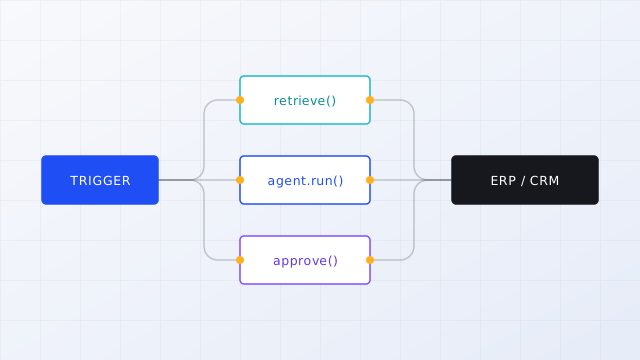
MiliFlow uses a visual canvas to connect agent nodes, human nodes and external systems into a process that actually runs: a new ticket starts it, amount and risk level decide the branch, anything over the threshold goes to a person for approval, and a failure unwinds through compensating actions. Results are written back to the ticketing system, and a confirmation, a follow-up question or a rejection can be handled directly in your enterprise chat tool, with the record synced back to the process instance.
- Event and scheduled triggers A new ticket, an incoming email or a data change can start a run; batch jobs run on a schedule
- Conditional branching and approvals Route by amount, risk level or model confidence, and insert multi-level approval where it is required
- Idempotency and retries Every run carries a unique key, so a repeated trigger never creates a second ticket or a second submission
- Rollback on failure Actions already written to external systems are reversed by compensating steps, with the whole run recorded
Event triggers
Scheduled batches
Conditional branches
Multi-level approval
Idempotency keys
Compensating rollback
Talk through how your process would connect